Benchmarking the Raspberry Pi AI HAT+ 2 for Local LLMs
Testing the Hailo-10H NPU for home automation: 6-8 tokens/second makes local AI assistants genuinely practical.
Running large language models locally on a Raspberry Pi opens up possibilities for smart home automation without relying on cloud services. I picked up the new Raspberry Pi AI HAT+ 2 with the Hailo-10H accelerator to evaluate whether it’s fast enough to be practical—here’s what I found.
Why Local LLMs for Home Automation?
Cloud-based AI assistants like Alexa, Google Home, and ChatGPT work great, but they come with trade-offs:
| Concern | Cloud AI | Local LLM |
|---|---|---|
| Privacy | Voice/text sent to external servers | Everything stays on your network |
| Latency | Network round-trip required | Direct inference, no internet needed |
| Availability | Requires internet connection | Works offline |
| Cost | Subscription fees / API costs | One-time hardware purchase |
| Customization | Limited to provider’s capabilities | Full control over prompts and behavior |
For home automation tasks like parsing voice commands, generating responses, or making decisions based on sensor data, a local model running at 6-8 tokens/second is more than sufficient.
The Hardware
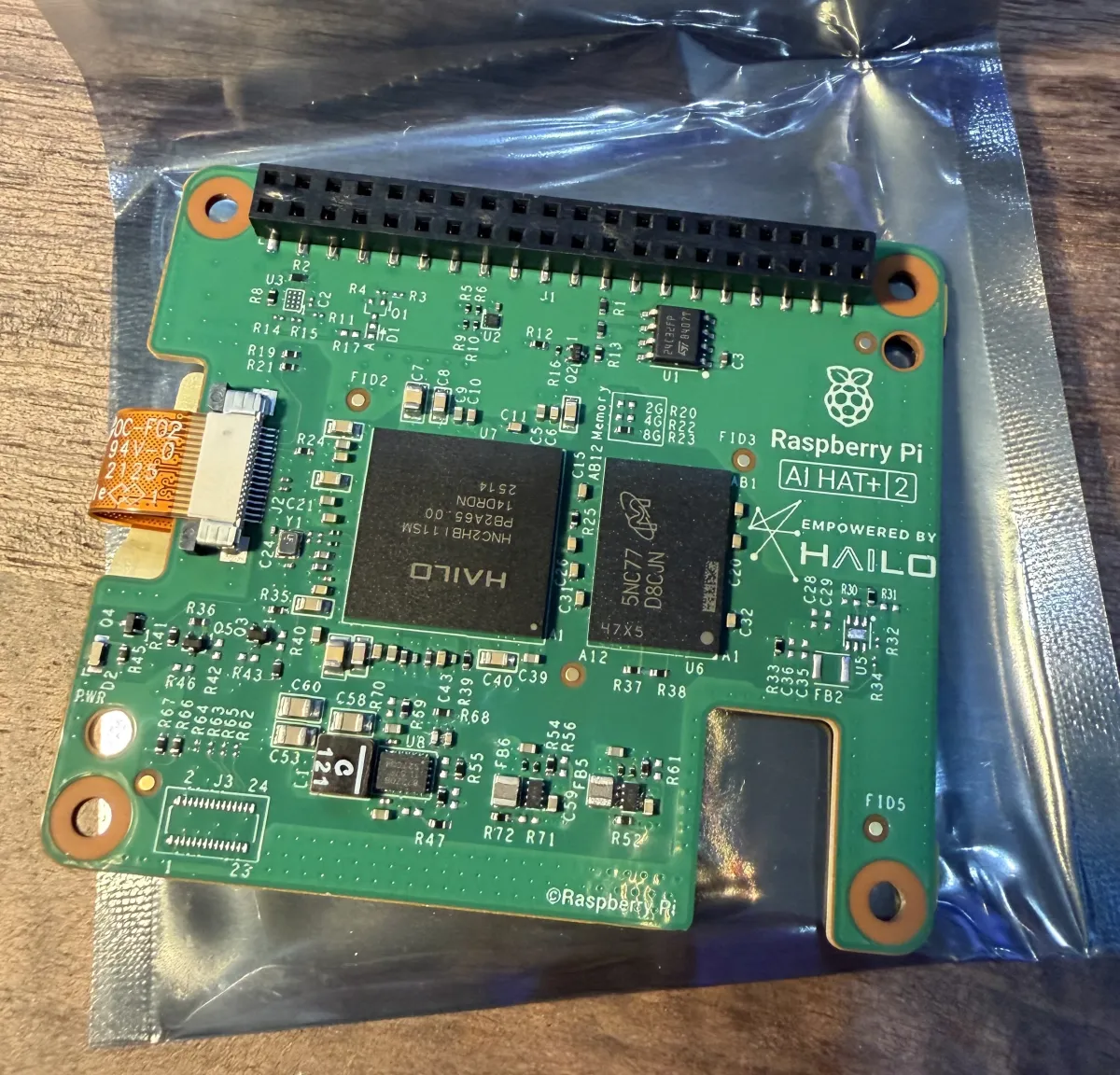
The AI HAT+ 2 is a compact board that connects to the Pi 5 via the PCIe connector. It includes the Hailo-10H NPU with 8GB of memory—enough to run quantized 1.5B-3B parameter models comfortably. The board also supports vision models for object detection and image classification, but this post focuses solely on text-based LLM performance.
The kit comes with everything you need: the HAT itself, mounting screws, a GPIO extension header (so you don’t lose access to the pins), and a heatsink grille for airflow.
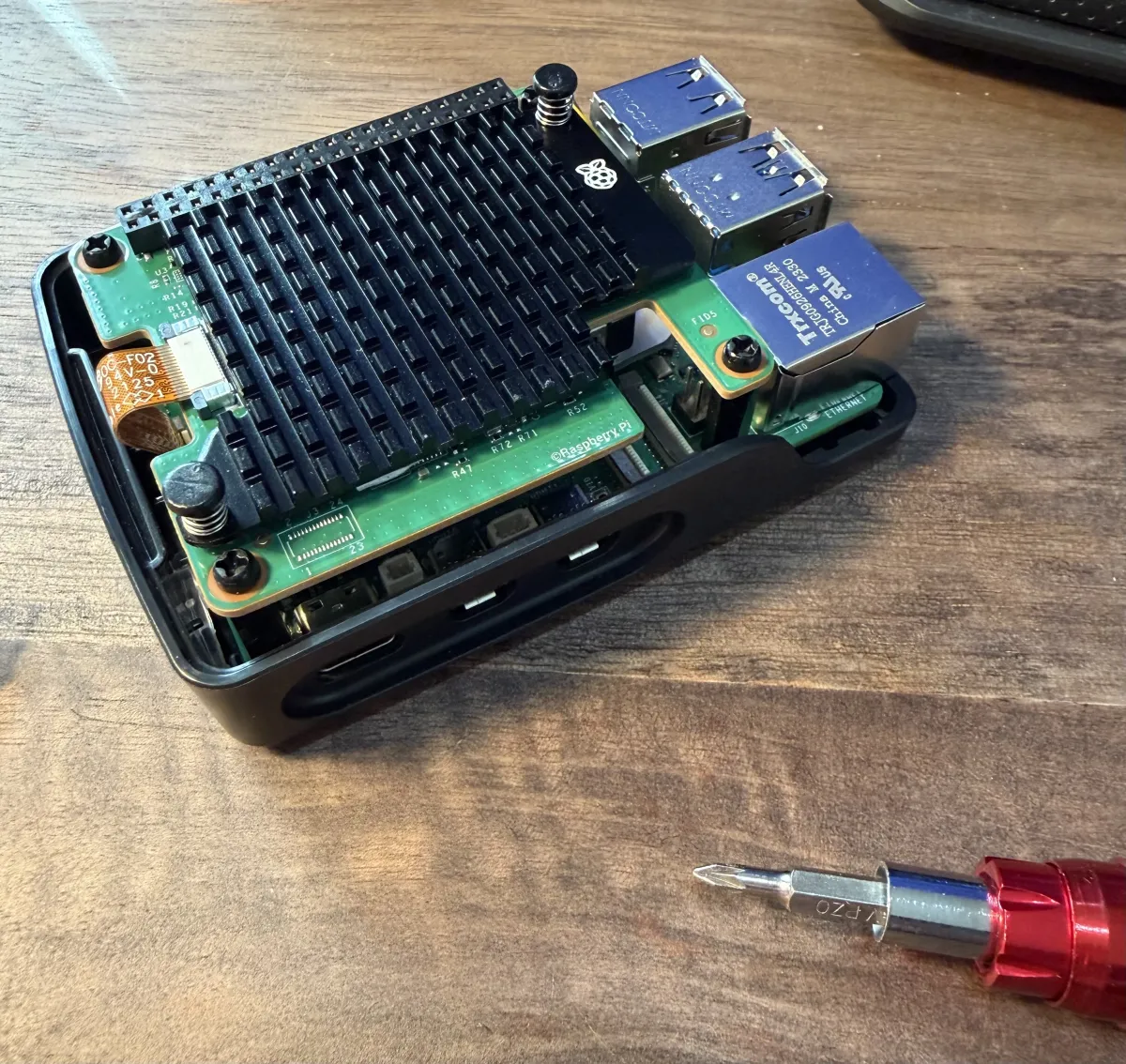
Assembly is straightforward—connect the PCIe cable, mount with the standoffs, and you’re ready to go. The whole setup fits in a standard Pi case with some minor modifications for airflow.
Test Configuration
- Hardware: Raspberry Pi 5 (8GB) + AI HAT+ 2 (Hailo-10H NPU, 8GB)
- Software: hailo-ollama on port 8000
- Date: 2026-01-25
- Duration per model: 15 minutes each
- Quantization: All models Q4_0
Results
| Model | Tokens/sec | Use Case |
|---|---|---|
qwen2:1.5b | 8.03 | Fast general-purpose responses |
qwen2.5-coder:1.5b | 7.94 | Generating automation scripts |
deepseek_r1_distill_qwen:1.5b | 6.83 | Complex reasoning tasks |
qwen2.5-instruct:1.5b | 6.76 | Following detailed instructions |
llama3.2:3b | 2.65 | Higher quality, slower responses |
Detailed Benchmark Data
| Model | Tokens/sec | Total Tokens | Requests | Avg Tokens/Request |
|---|---|---|---|---|
qwen2:1.5b | 8.03 | 7,270 | 41 | 177 |
qwen2.5-coder:1.5b | 7.94 | 7,183 | 51 | 141 |
deepseek_r1_distill_qwen:1.5b | 6.83 | 6,368 | 8 | 796 |
qwen2.5-instruct:1.5b | 6.76 | 6,107 | 40 | 153 |
llama3.2:3b | 2.65 | 2,312 | 5 | 462 |
What 8 Tokens/Second Feels Like
For context, typical reading speed is 3-4 words/second. At 8 tokens/second (~6 words/second), responses stream slightly faster than comfortable reading pace. For home automation:
- Short command acknowledgment (10-20 tokens): 1-3 seconds
- Medium response (50-80 tokens): 6-10 seconds
- Detailed explanation (150+ tokens): 20+ seconds
The 1.5B models hit a sweet spot—fast enough for interactive use, capable enough for most automation tasks.
Home Automation Use Cases
At 6-8 tokens/second, here’s what’s practical:
Voice Command Parsing: “Turn off the living room lights and set the thermostat to 68” → Parse intent and entities in ~2-3 seconds
Natural Language Responses: Generate conversational responses for a home assistant in 5-10 seconds (40-80 tokens)
Automation Rules: “Create a rule: if motion is detected after 10pm and no one is home, send me an alert” → Translate to Home Assistant YAML or Node-RED flows
Sensor Data Interpretation: Feed temperature, humidity, and energy data to the model for anomaly detection or suggestions
Scene Descriptions: “What’s the current state of the house?” → Generate a natural summary from device states
The 3B Model Trade-off
The llama3.2:3b model runs at 2.65 tok/s—about 3x slower than the 1.5B models. This is still usable for:
- Background processing tasks
- Batch operations (overnight report generation)
- Tasks where quality matters more than speed
For real-time interaction, stick with the 1.5B models.
Power Consumption
The Raspberry Pi 5 + AI HAT+ 2 draws approximately:
- Idle: ~5W
- Inference: ~15-20W peak
Running 24/7 as a home automation brain costs roughly $15-25/year in electricity—far less than cloud API costs for equivalent usage.
Getting Started
- Hardware: Raspberry Pi 5 + AI HAT+ 2
- Software: Install hailo-ollama from Hailo’s repository
- Models: Pull your preferred model via the API:
curl --silent http://localhost:8000/api/pull \
     -H 'Content-Type: application/json' \
-d '{ "model": "qwen2:1.5b", "stream": true }'- Integration: Connect via the Ollama-compatible API at
http://localhost:8000:
curl --silent http://localhost:8000/api/chat \
     -H 'Content-Type: application/json' \
     -d '{"model": "qwen2:1.5b", "stream": false, "messages": [{"role": "user", "content": "Why is the sky blue?"}]}'
The Ollama API compatibility makes it easy to integrate with Home Assistant, Node-RED, or custom automation scripts.
Conclusion
The Hailo AI HAT+ 2 makes local LLM inference genuinely practical on a Raspberry Pi. At 6-8 tokens/second for 1.5B models, you get:
- Privacy: Your data never leaves your home
- Reliability: No internet dependency
- Cost-effective: One-time purchase, no subscriptions
- Responsive enough: Sub-10-second responses for most tasks
For developers building smart home systems, this is a compelling alternative to cloud APIs—especially for privacy-conscious users or installations without reliable internet.
Next up: integrating this into my Home Assistant setup to see how it performs in practice.